

Click here for direct access to the download and instructions.
Features overview
TopoSat Rinex Editor is an utility for editing RINEX files (formats 2, 3 and 4) in order to analyse the constellations present, the satellites and signals used, and to modify some of the information held in the header or the body. It can be used through a graphical interface or from the command line.
It is available in English, Spanish, French and Portuguese (Europe and Brazil).
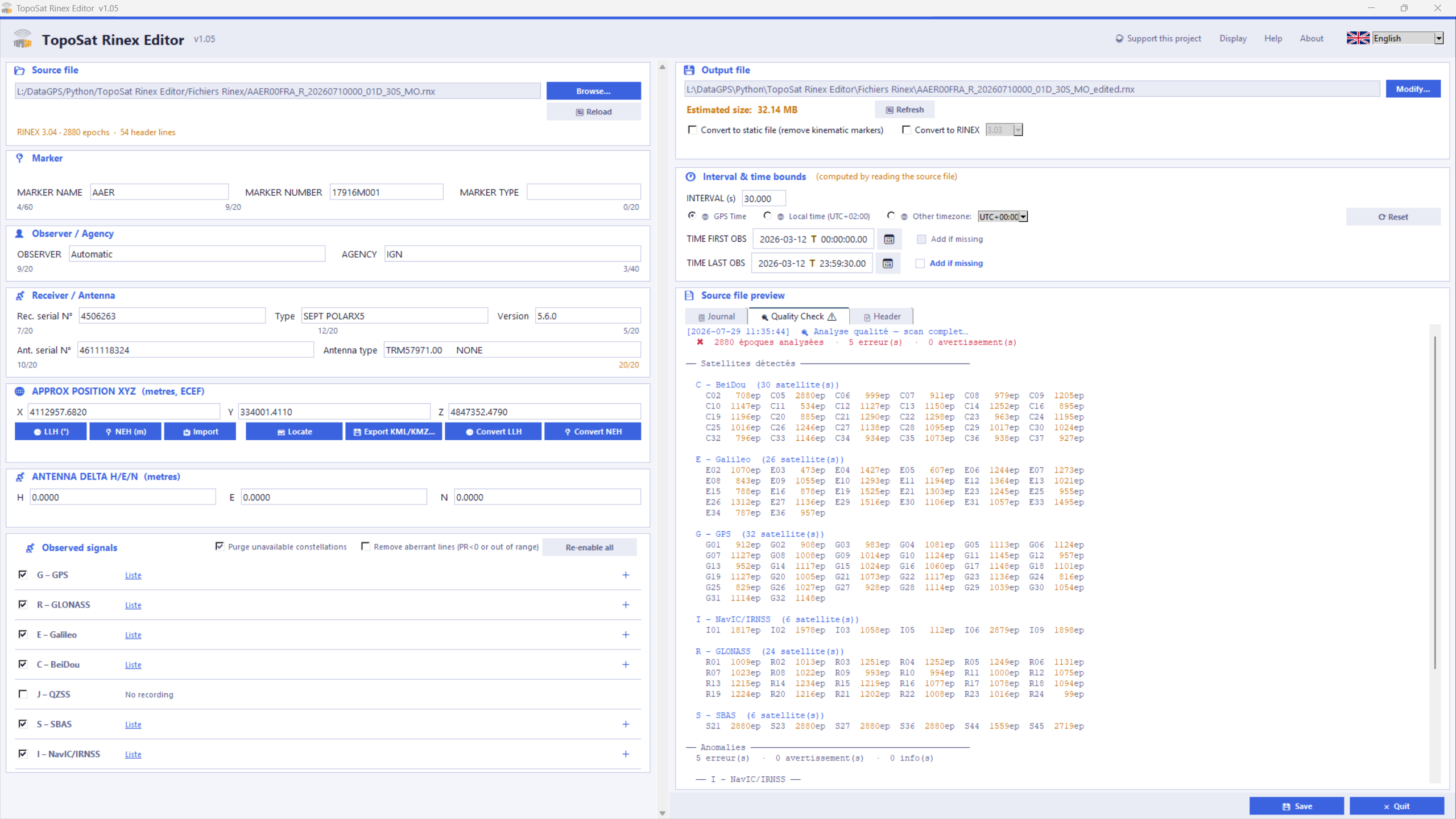
Its strengths are:
- Analysis of the source file, with a summary display of that analysis.
- Export with specific constellations, satellites or signals disabled.
- Header ECEF coordinates that can be entered from geographic or projected coordinates (with or without a geoid model).
- Reading of online processing reports: IGN France, Trimble RTX, SCRS-PPP (Canada).
- Direct conversion of ECEF coordinates into geographic or projected coordinates.
- Display of those ECEF coordinates in a KML viewer, plus KML/KMZ export.
- Conversion of a RINEX 3 or 4 file to an earlier version.
It also allows the following changes :
- Recording interval.
- Start and end times of the recording.
- Marker Name, Marker Number and Marker Type.
- Observer / Agency.
- Antenna height.
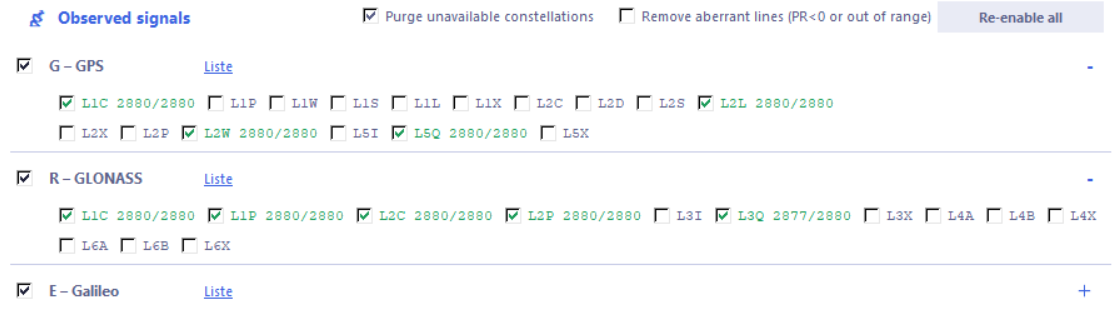
The detailed list of constellations, satellites, and signals is available. All these elements can be activated or deactivated in a grouped or individual manner.
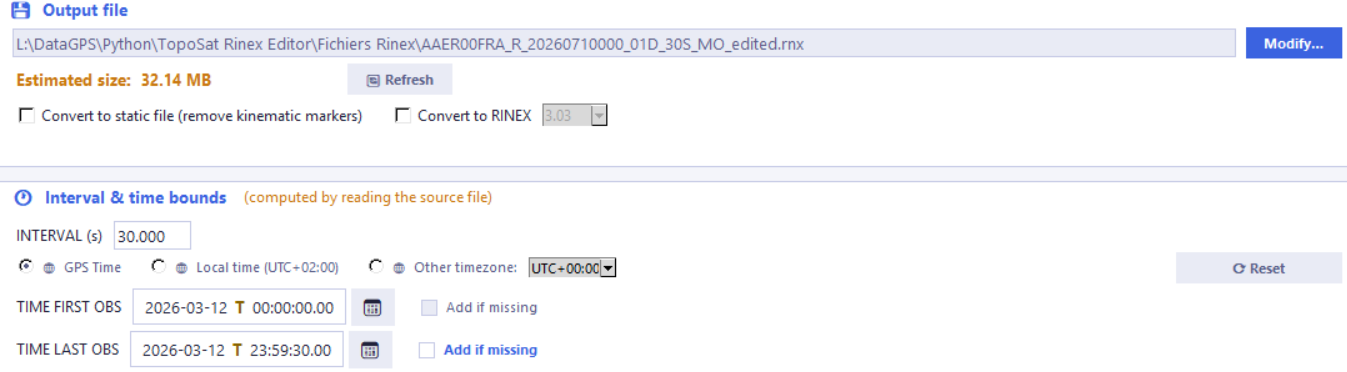
After modifying the time bounds, recording interval, and the selected constellations or satellites, the export file size is automatically re-estimated to reflect these new parameters.
The XYZ (ECEF) coordinates indicated in the header can be entered or exported as geographic values or projected coordinates, with the option to choose between ellipsoidal height and elevation. Direct import from reports generated by certain online calculation services is supported, alongside KML/KMZ export and direct visualization in a map viewer.

For a more complete description of the application, please consult the online help. The help documentation is also available in French, Spanish, and Portuguese (including variants for Portugal and Brazil).
Download
Date published online: September 12, 2026
Date published online: September 12, 2026
Before starting the installation, download and review the installation instructions, also available in French, Spanish, and Portuguese (with variants for Portugal and Brazil). They are also included in the ZIP file.
SHA-256 checksum of TopoSat_Rinex_Editor_1.10_Setup.zip :
1eaf968287e46396b1bb27a66371f1cfa0e4bb32b0d91e4fc32ccdab5dc0c936
SHA-256 checksum of toposat-rinex-editor_1.10_amd64.zip:
015fc8dd054906745525d64d91189ec9282bd2d19208ae60c591fdf84bb55db1
This checksum allows you to verify that the downloaded file is the original and has not been altered. To check it, open a command prompt in your download folder and type the command below. The result shown must be identical to the checksum above.
certutil -hashfile TopoSat_Rinex_Editor_1.10_Setup.zip SHA256
certutil -hashfile toposat-rinex-editor_1.10_amd64.zip SHA256